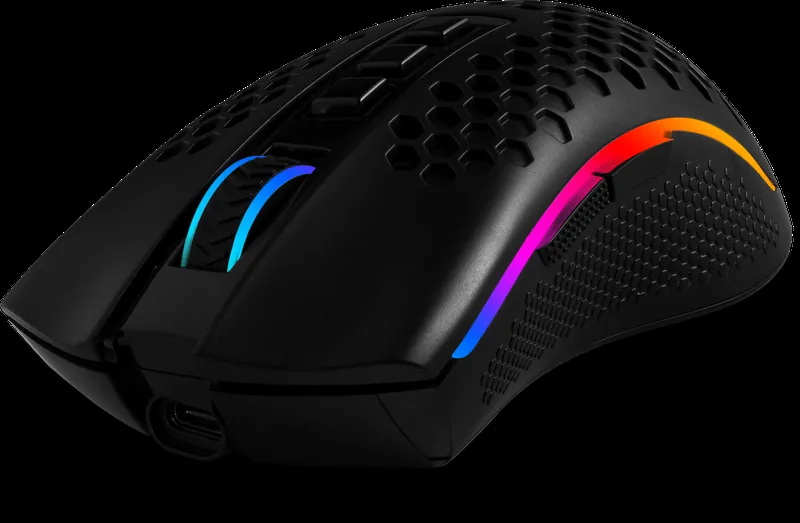
In normal mode and eco mode, the mouse wheel lights up, and you can't turn it off in the software — well, more precisely, there's no obvious setting to disable it. However, if you set the wheel's glow color to black, it doesn't light up. If the mouse is off and you connect it to the PC via cable, it works and charges at the same time. In this case, the wheel shows the charge color (green = charging). The buttons can be remapped through the software — I did it when the mouse was connected wirelessly: swapped the back and forward buttons, and also set the top three buttons for media control (previous track, play/pause, next track), which was actually the main reason I bought this mouse. I use it with a laptop on the bed on a bedspread, but it performs worse on it than my wired mouse from the same brand did — the mouse doesn't snag, but the cursor movement sometimes stutters, and I have to press down harder on the mouse so the fabric underneath evens out. The bottom of the mouse doesn't light up, so if you turn off all the lighting, the mouse doesn't glow anywhere in the dark. The holes in the body worried me — I thought the mouse would fill up with dust, hairs and other dirt because of them, but after about 7 months of use, no dirt is visible in the mouse yet, it looks clean (though I haven't taken it apart yet). The official PC app for the mouse shows its battery level. When the battery is low, the wheel starts blinking. I don't have to charge the mouse often, which is a plus. There's a protective film on the feet — don't forget to remove it. If I put my laptop to sleep and accidentally nudge the mouse, the laptop wakes up — that never happened with my wired mouse, so sometimes I have to turn the mouse off with the switch on the bottom. The mouse software for PC comes in different languages, but Russian wasn't among them, so I dug around in the program folder, figured out the language selection logic, copied the English file, renamed it to Russian and translated all the English words into Russian (with a few jokes thrown in), then saved it, selected it in the program, and now everything is in a language I understand. Battery level of the mouse, which I mainly used Mon–Fri from 6 PM to midnight, and on weekends during the day: 12/17/2025 - 100% 12/18/2025 - 90% 12/27/2025 - 70% 12/02/2025 - 30%.
Wireless gaming mouse
Redragon Storm Pro
Color: black · SKU 78127
Wired, wireless radioConnection type
100–16000Resolution, DPI
Pixart P3335Sensor model
HuanoSwitches

Nika will answer about Storm ProFrom the catalog specs and buyer reviews
Storm Pro features
Built-in Li-Pol battery
RGB backlight
High precision optical sensor
Elongated teflon feet
USB cable is included
Wireless mouse
Ergonomic shape
Extended RGB backlight
Suitable for long working hours
Professional Pixart PAW3335 optical sensor, high-quality switches, and a built-in Li-Pol battery. A range of up to 15 m, gaming software, beautiful RGB lighting, and the best price-to-quality ratio make this model an excellent choice for a smart gamer!
Setup with Storm Pro
Pairs in the same colour (black) with the best ratings. Untick what you don't need.
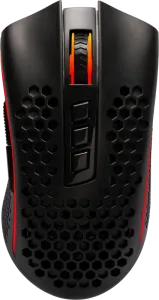 Wireless gaming mouse · this itemStorm Pro3,472 ₽
Specifications
General
| Software and drivers | Download ↓ |
|---|---|
| Connection type | wired, wireless radio |
| Connection interface | USB |
| Nominal capacity | 700 mA·h |
| Sensor type | optical |
| Mouse sensor resolution, DPI | 1000, 2000, 4000, 8000, 16000 |
| Resolution, DPI | 100–16000 |
| Sensor model | Pixart P3335 |
| Switches | Huano |
| Resolution | 16000 dpi |
| Backlight type | RGB |
| Number of buttons | 8 |
| Number of clicks | 20 million |
| Operation range | 15 m |
| Compatibility | Windows 2000/XP/Vista/7/8/10 and higher, Mac OS X10 |
| Average duration of work without recharging / changing batteries | 11–150 hrs |
| Report rate | 1000 Hz |
| Max acceleration | 40 g |
| Max tracking speed | 16000 fps |
| IPS speed | 400 IPS |
| Perforation | yes |
| Lead weights | no |
| Type of power supply element | Li-polymer |
| Color | black |
| Cable length | 1.8 m |
| Material | Plastic |
| Housing material | plastic |
Packaging and logistics
| Warranty period | 12 months |
|---|---|
| Product size (without package) | 6.55 × 4.1 × 12.68 cm |
| Net weight | 100 g |
Questions and answers
How does Redragon Storm Pro connect?
Wired, wireless radio.
What is the polling rate of Redragon Storm Pro?
1000 Hz.
How much does Redragon Storm Pro weigh?
100 g, according to the manufacturer.
What is the warranty on Redragon Storm Pro?
12 months.
Where can I download software for Redragon Storm Pro?
In the Downloads section on this page. Redragon devices also work with the standard operating system driver.
Where can I buy Redragon Storm Pro?
On Ozon — the links are on this page.
Downloads
ManualUser manual for Redragon Storm Pro art. 781273.1 MBSoftwareSoftware for SKU 781273.3 MBCertificateDeclaration of Conformity TR CU_020_mice/ keyboards0.7 MBCertificateDeclaration of Conformity TR CU_037_mice/ keyboards0.7 MB
Redragon devices also work with the standard system driver; the software adds macros, lighting and fine tuning.
Download software only from redragon.ru — third-party sites sometimes pass off viruses as drivers.
Comparison with similar models
Models of the same category and a close price, by catalog specifications.
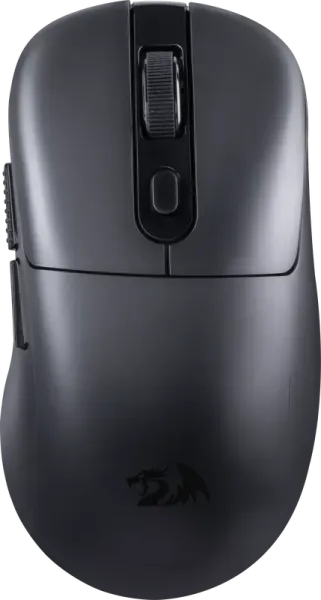
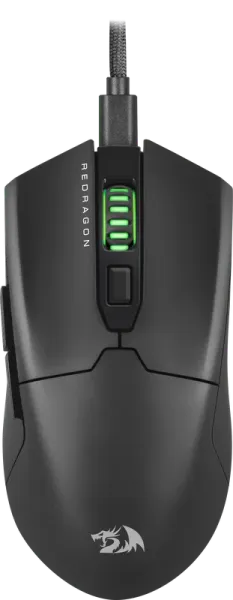
| Storm Prothis model | 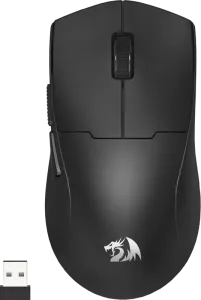 K1ng Max | 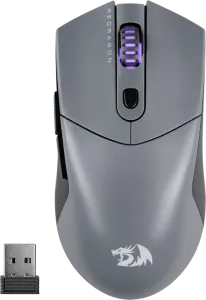 St4r Pro | 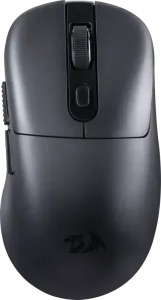 Jabns Pro | 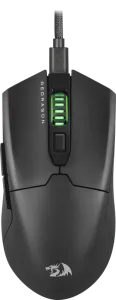 Fyzu | |
|---|---|---|---|---|---|
| Price | 3,472 ₽ | 3,563 ₽ | 3,647 ₽ | 3,710 ₽ | 3,139 ₽ |
| Rating on WB | ★ 4.8 | ★ 4.7 | ★ 4.9 | — | ★ 4.8 |
| Report rate | 1000 Hz | 1000 Hz | 1000 Hz | 1000 Hz | 1000 Hz |
| Net weight | 100 g | 50 g | 60 g | 60 g | 50 g |
| Sensor model | Pixart P3335 | Pixart P3395 | Pixart P3395 | Pixart P3395 | Pixart P3395 |
| Resolution, DPI | 100–16000 | 100–26000 dpi | 100–26000 dpi | 100–26000 dpi | 100–26000 dpi |
| Connection type | wired, wireless radio | wired, wireless Bluetooth, wireless radio | wired, wireless Bluetooth, wireless radio | wired, wireless Bluetooth, wireless radio | wired |
Buyer photos
92 photos and 2 videos from buyers from Wildberries reviews — how Storm Pro looks in real setups.
Customer reviews
Reviews of this exact model from Wildberries — without reviews of other products from a shared listing. The 4.8 rating is based on all 1,410 ratings.
Overall I do recommend this mouse, but it doesn't slide very well on a desk, so personally I recommend using it on a mousepad. There's no point in trying to drag click or butterfly click with it because it has double-click protection, but for those who want to try, you can make a macro for double-click. Overall the grip is very comfortable and the mouse fits my hand well in terms of grip. It looks really pretty too. The sensor doesn't skip. The buttons press easily, fairly quiet. There's no lag at all (that's for the paranoids who are still afraid to get wireless mice). The battery lasts a very long time, in my opinion (it has a built-in battery). The lighting is also done nicely. And that's pretty much it.
Pros: The mouse is VERY good
Cons: My personal downside is no double-click, meaning it has protection against it, and I do need it a bit, but you can make your own macro for double-click
This is my second one — before that I bought an atack shark r1, which broke within a week, returned it to *** — lesson learned!
Pros: Comfortable, intuitive software
Cons: Packaging isn't great
Thank you so much, from the bottom of my heart
Pros: The mouse is really cool, I really like it, I'm very happy with how it works, the design is awesome
Cons: No downsides
Pros: Fits well in the hand, not too light and not too heavy. In games the sensor doesn't glitch, everything's solid for the money.
Pros: lightweight, fits comfortably in the hand, for its price it's a beast
Cons: none
All solid, recommend
Pros: The mouse is fire for the price
Cons: Nothing
Very interesting mouse, my son is very happy with it
Pros: My son is happy, this one's from him. 5*
Read in the blog
Similar models
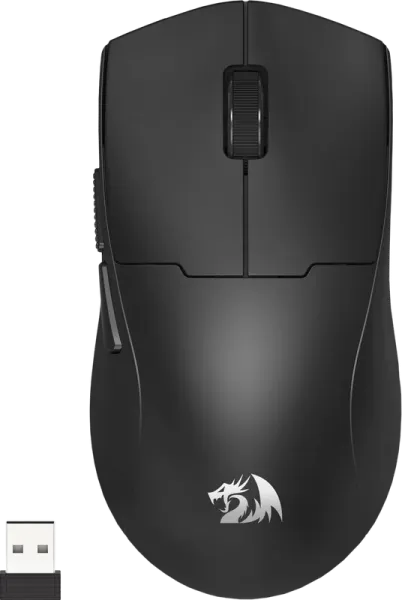
K1ng MaxWireless gaming mouse
- Three connection modes (BT/2.4G/wire)
- High precision optical sensor
- Ultra light-weight gaming mouse
3 563 ₽ 4.7
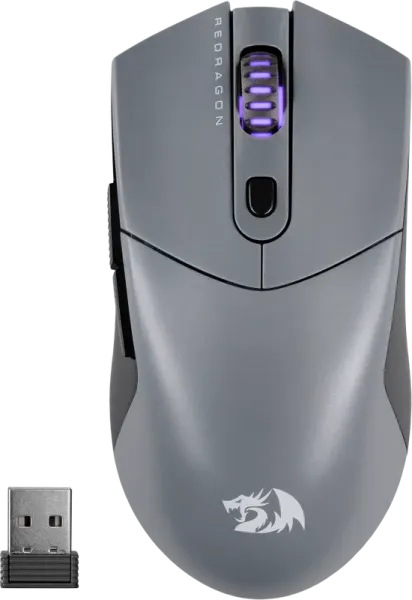
St4r ProWireless gaming mouse
- Ultra light-weight gaming mouse
- Three connection modes (BT/2.4G/wire)
- High precision optical sensor
3 647 ₽ 4.9
New
Jabns ProWireless gaming mouse
- Three connection modes (BT/2.4G/wire)
- Unique ergonomic design
- Built-in battery
3 710 ₽
FyzuWired gaming mouse
- Ultra light-weight gaming mouse
- High precision optical sensor
- Removable cord
3 139 ₽ 4.8