Stabilizers: the part you only notice when the spacebar rattles
Talk about keyboard quality usually comes down to switches. But two keyboards with identical switches can feel completely different — because of the stabilizers.
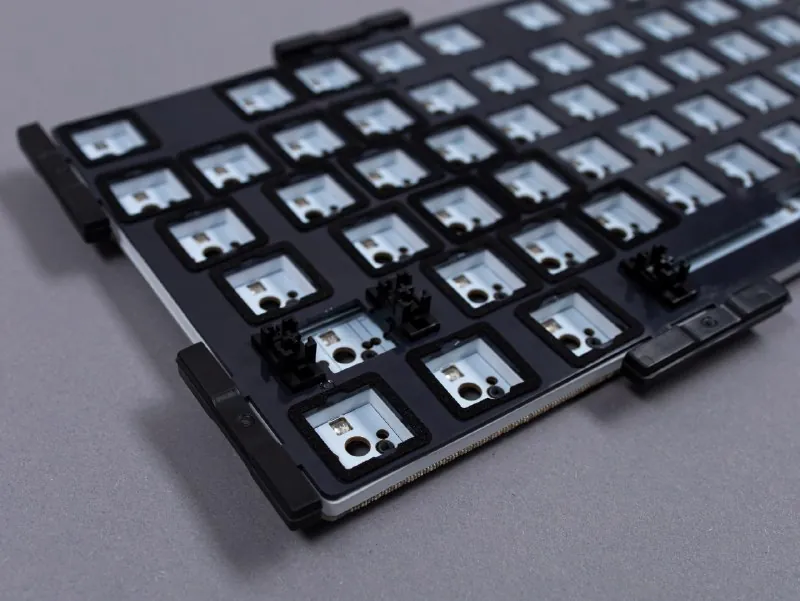
Where they are and what they're for
Stabilizers sit under the long keys — Space, Enter, Shift, Backspace. You can press a long key at its edge, and without a stabilizer it would tilt. The stabilizer makes it go down evenly, without tilting or extra rattle.
What good stabilizers give you
- less wobble;
- a more even keypress;
- fewer unwanted sounds;
- a more pleasant feel from long keys.
«Stabilizers are exactly the kind of part you barely notice when everything is done right. But once they start performing poorly, you can't help but notice.»— Redragon, Telegram
Redragon keyboards come with lubricated stabilizers, supplemented with pads that dampen excess noise and vibrations.
Gasket-mounted keyboards
Based on a post in the Redragon Telegram channel from October 6, 2026. Open the post ↗